
Screenshots
App details
- Version
- 1.0
- Size
- 1.90 MB
- Updated
- March 9, 2017
- Requires
- Windows XP
- Language
- English
- License
- Free
- Developer
- Stardock
- Category
- Windows OS
SoftPas in:
This product is also available in the following languages:
About Stardock LogonStudio
Download Stardock LogonStudio – Free Windows XP Logon Screen Editor
Overview
Stardock LogonStudio is a lightweight, free utility that lets Windows XP and earlier users completely redesign the logon screen. Launched in 2005, the program has amassed more than 38,000 downloads and remains popular in regions such as Kuwait, the United Arab Emirates, and Romania. Despite its age, LogonStudio still offers a slick, intuitive interface that consumes minimal storage compared with other desktop‑customisation tools. The software is distributed in English only and targets the “Desktop customization” category, specifically the “Login Screens” sub‑category. With a single‑click installation, users can replace the default background, add custom text, and even change the sound that plays during logon. Because it works directly with the Windows XP theme engine, the changes are applied securely without the need for third‑party patches. Whether you want a corporate logo, a personal photo, or a seasonal design, LogonStudio provides a safe, straightforward way to make the first impression of your PC truly yours.
Key Features
- Full‑screen background replacement – Load any BMP, JPG or PNG image as the logon background.
- Custom text fields – Add welcome messages, copyright notices, or system information.
- Sound customization – Assign a custom .wav file to play when the user logs on.
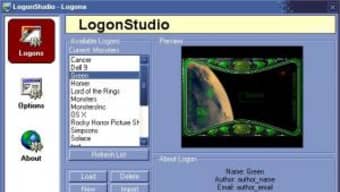
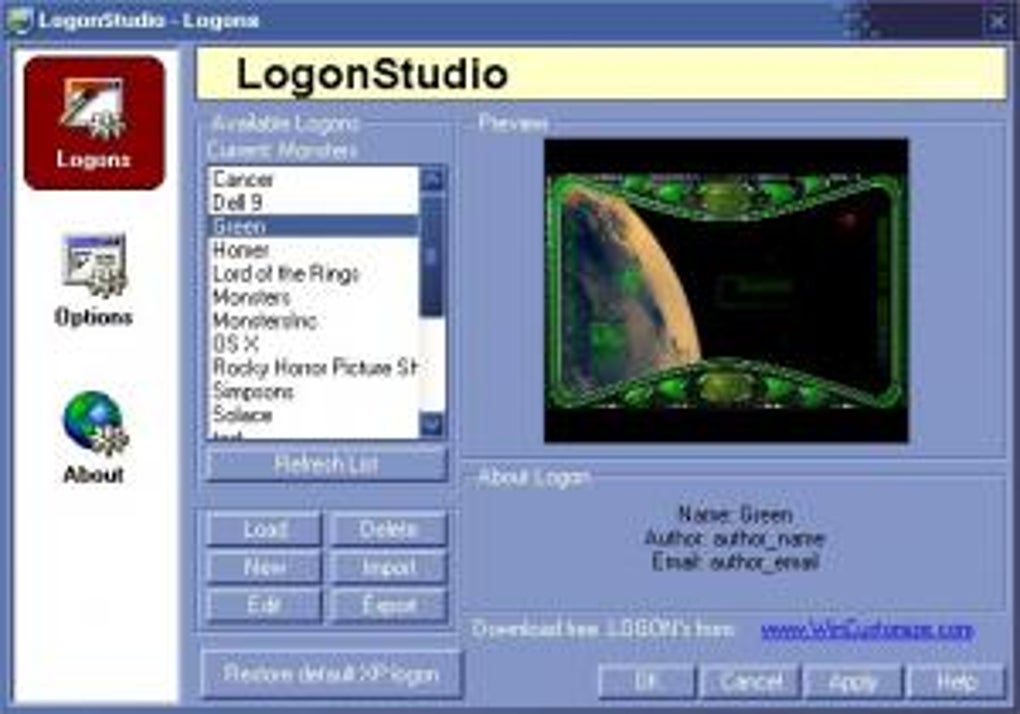
- Preview mode – See how the new screen looks before committing the changes.
- Lightweight footprint – The installer is under 2 MB and requires no additional runtimes.
- Secure registry editing – The tool writes directly to the correct registry keys, avoiding manual edits that could corrupt the system.
- Multi‑language support (future‑ready) – Although the current version ships in English, the architecture allows easy localisation.
- Rollback option – Restore the original Windows logon screen with a single click if you change your mind.
Installation & Usage Instructions
Getting started with Stardock LogonStudio is as simple as downloading the installer and following a few guided steps. Below is a detailed walkthrough that ensures a smooth experience even for users who are new to system‑level customisation.
Step‑by‑Step Installation
- Visit the official Stardock download page and click the “Download LogonStudio” button. The file is a self‑extracting
.exe(approximately 1.8 MB). - When the download completes, double‑click the file. Windows may display a security warning; confirm that you want to run the installer.
- The Setup Wizard opens. Click Next on the welcome screen.
- Accept the End‑User License Agreement, then choose an installation folder (the default path works for most users).
- Click Install**. The program copies the necessary files and registers the required DLLs with the system.
- When installation finishes, click Finish**. LogonStudio will launch automatically, or you can start it from the Start Menu.
Creating a New Logon Screen
Once LogonStudio is open, the interface presents three main tabs: Background, Text, and Sound. To replace the background, click the Browse** button, locate your image file, and select it. The preview pane instantly shows how the image will appear behind the user name and password fields. For text, use the Add Text** button, type your message, and position it by dragging the placeholder. Adjust font size, colour, and style using the built‑in controls. Finally, to add a custom sound, click the Choose Sound** button and pick a .wav file from your library. After you have configured each element, click the Apply** button. LogonStudio writes the changes to the Windows registry, and a confirmation dialog appears.
Testing and Rolling Back
To verify the new logon screen, lock your computer (Windows + L) or sign out. If the design does not look as expected, return to LogonStudio, make adjustments, and re‑apply. Should you wish to revert to the original Windows look, simply click the Restore Default** button located at the bottom of the main window. The software restores the previous registry values, and the system returns to its factory logon screen instantly.
Compatibility, Pros & Cons
Stardock LogonStudio officially supports Windows XP and earlier Windows versions (such as Windows 2000 and Windows 98). The program relies on the classic Windows theme engine, so it will not function on newer operating systems like Windows 7, 8, 10, or 11 without compatibility‑mode tweaks. Because the utility directly edits the registry, it requires administrative privileges during installation and when applying changes.
Pros
- Free and lightweight – No hidden fees, and the installer is under 2 MB.
- Easy‑to‑use interface – No scripting or manual registry editing required.
- Secure changes – Writes to the correct registry keys, minimizing the risk of system instability.
- Instant preview – Allows users to see the final result before committing.
- Rollback feature – One‑click restore to the default Windows logon screen.
Cons
- Limited to Windows XP and earlier; not compatible with modern Windows versions.
- Only supports image formats that Windows XP can display (BMP, JPG, PNG).
- The UI reflects a 2005 design aesthetic, which may feel dated to some users.
- No built‑in library of ready‑made themes; users must supply their own graphics.
- English‑only interface; localisation would require community contributions.
Overall Rating: 4 out of 5 stars – Stardock LogonStudio remains a solid, free tool for anyone still running Windows XP who wants to personalize the logon experience without risking system stability.
FAQ – Frequently Asked Questions
Can I use LogonStudio on Windows 7 or Windows 10?
No. LogonStudio was built for the classic Windows XP theme engine. Modern Windows versions use a different logon architecture, so the tool will not apply changes without extensive hacks, which are not officially supported.Is the software truly free, or are there hidden costs?
LogonStudio is completely free. The download contains the full application, and there are no premium upgrades or ad‑ware components bundled with the installer.What image formats are supported for the background?
The program accepts BMP, JPG, and PNG files. The image is automatically scaled to fit the screen resolution of the target machine.Do I need administrative rights to apply a new logon screen?
Yes. Changing the logon screen modifies system registry entries, which requires admin privileges. The installer prompts for elevation during the first run.Can I revert to the original Windows logon screen after I’ve made changes?
Absolutely. LogonStudio includes a “Restore Default” button that restores the original registry values, instantly bringing back the stock Windows logon screen.Ready to give your Windows XP machine a fresh look? Download Stardock LogonStudio now and start customizing your logon experience today.
Guides & Tutorials
How to install Stardock LogonStudio
- Click the Download button above.
- Once redirected, accept the terms and click Install.
- Wait for the Stardock LogonStudio download to finish on your device.
How to use Stardock LogonStudio
This software is primarily used for its core features described above. Open the app after installation to explore its capabilities.
User Reviews
No reviews yet. Be the first to share your experience.
You may also like
more
Llama 2
Free-to-use large language model As the new addition to Meta’s arsenal of langua...

NotebookLM
Revolutionizing the note-taking and idea-generation process NotebookLM is an exp...

Github co pilot
AI-inspired software development and coding platform GitHub Copilot is a browser...

Google Gemma
Google’s lightweight AI models Introducing Google Gemma , a family of cutting-ed...

AI Image Enlarger
A free app for Windows, by ai-image-larger. AI Image Enlarger is a free software...

DALL E
AI-driven text-to-image transformation engine DALL·E is a free graphic and desig...